Step 1: Open the draft
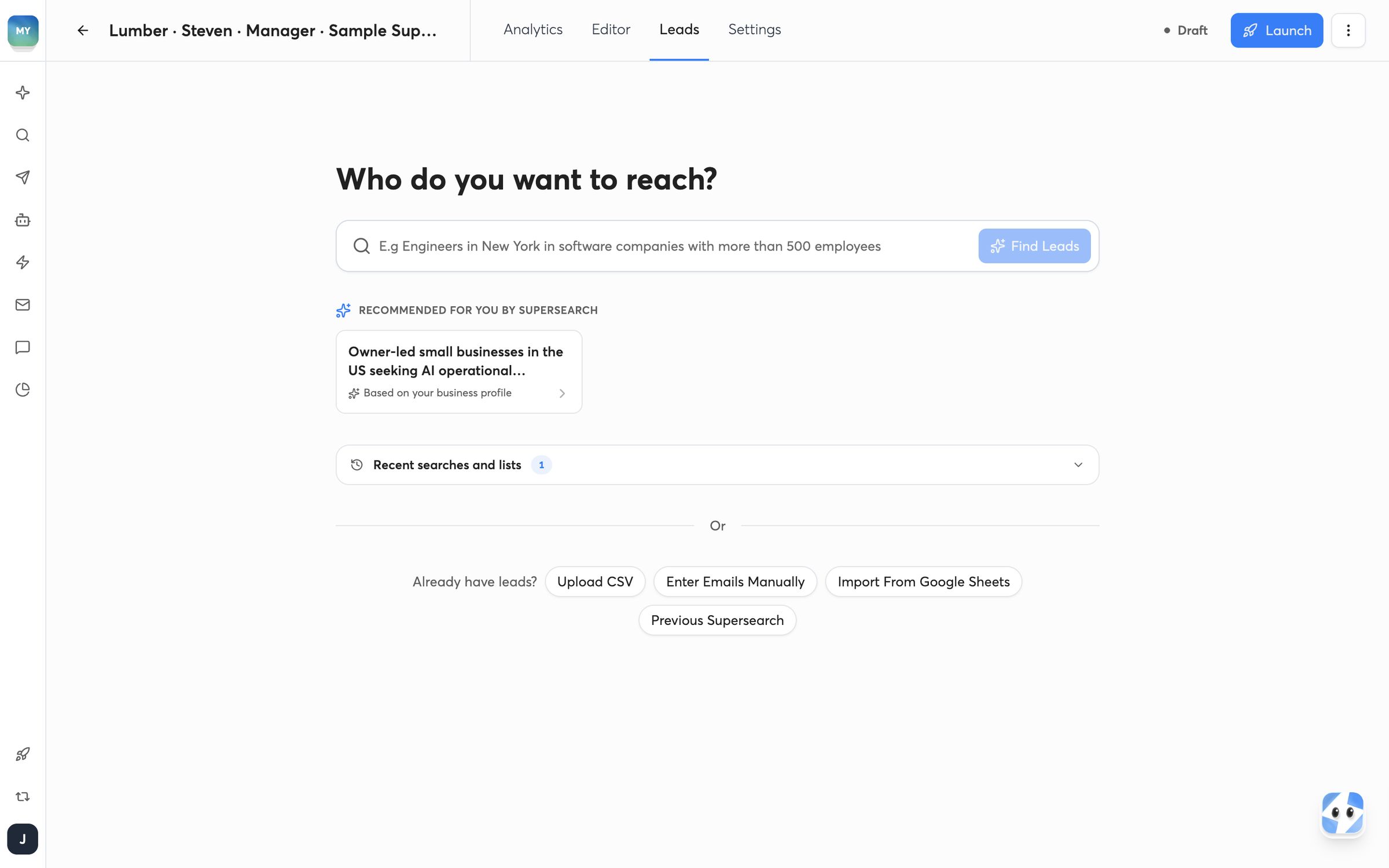
Open the draft campaign from Engage.
Before launch, the Leads tab must hold your first 50 people. This draft is still empty, so it is not ready yet.
 Full size

No guides found
Guide 8 of 13 · Cold email process · Instantly
Updated Sep 30, 2026
A new campaign waits as a Draft until someone presses Launch. Before that, four things get checked: the people, the emails, the mailboxes and the schedule. This guide walks the checks on a real draft and stops at the Launch button without pressing it.
The narrated video of this guide is in the library: https://campus.boldestimations.com/video/process-launch-a-campaign.mp4
Screens recorded Sep 30, 2026 in Bold Estimation's Zapmail, Instantly and Google accounts. Names, email addresses and phone numbers of real people are replaced with placeholders or blurred, and typed examples are made up. If a screen looks a little different, the tool has updated: find the same label nearby.
Open the draft campaign from Engage.
Before launch, the Leads tab must hold your first 50 people. This draft is still empty, so it is not ready yet.
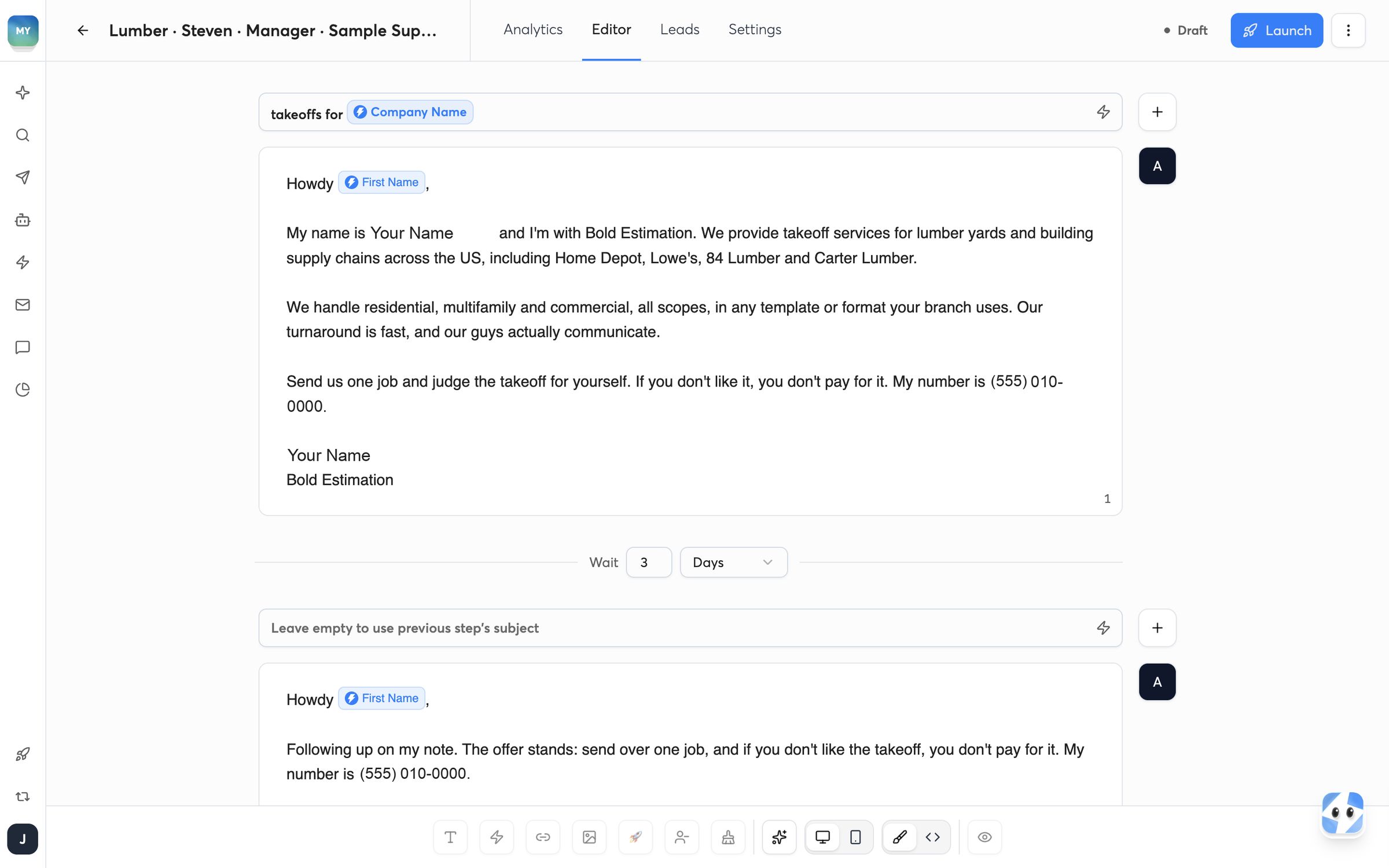
Full sizeOpen the Editor tab.
Check both emails against the templates doc: the subject, the first email, the three day wait and the follow up.
 Full size
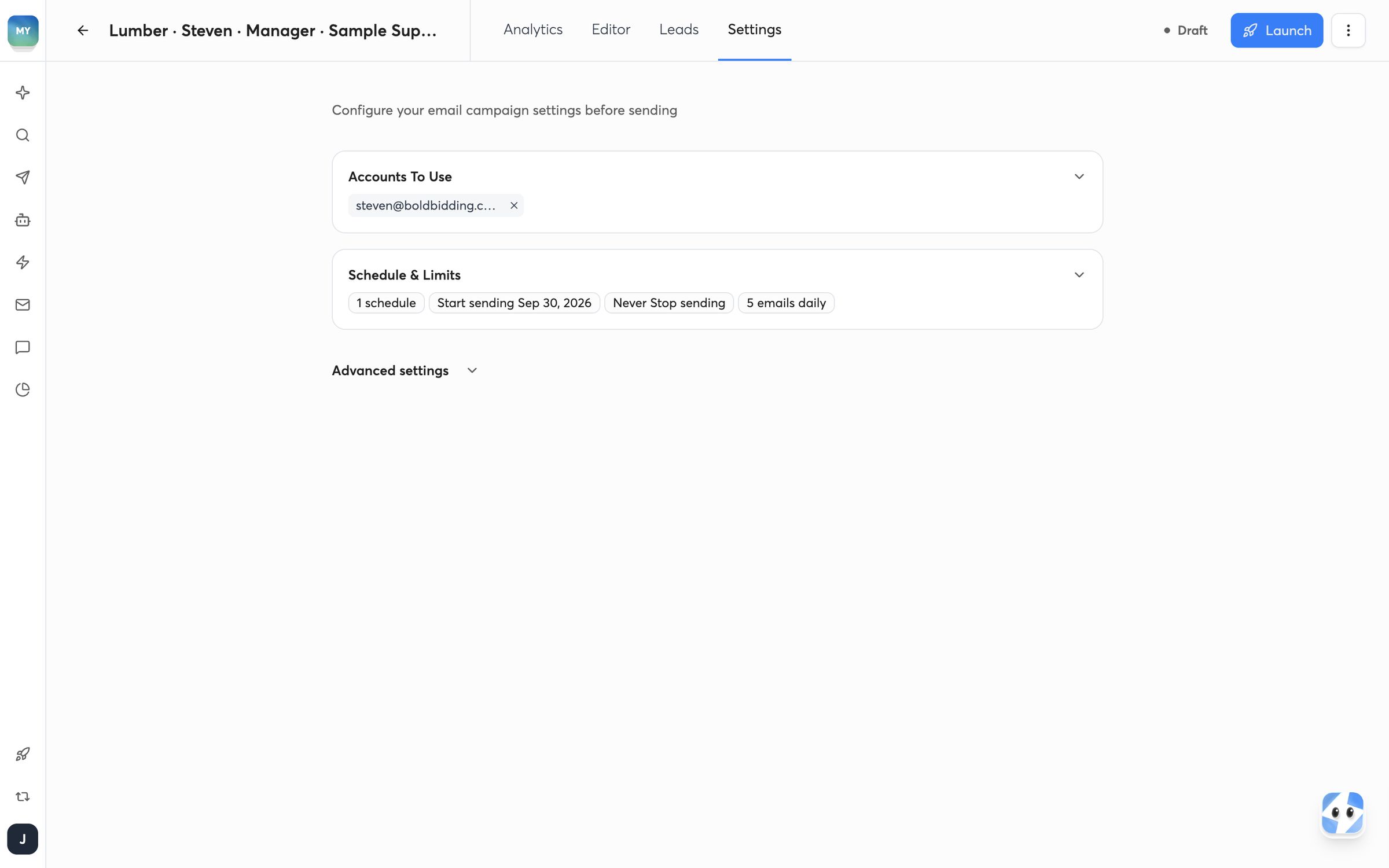
Open the Settings tab.
Accounts To Use lists the mailboxes that send. Use only mailboxes with 19 days of warmup and a health score of 95 percent or more.
 Full size
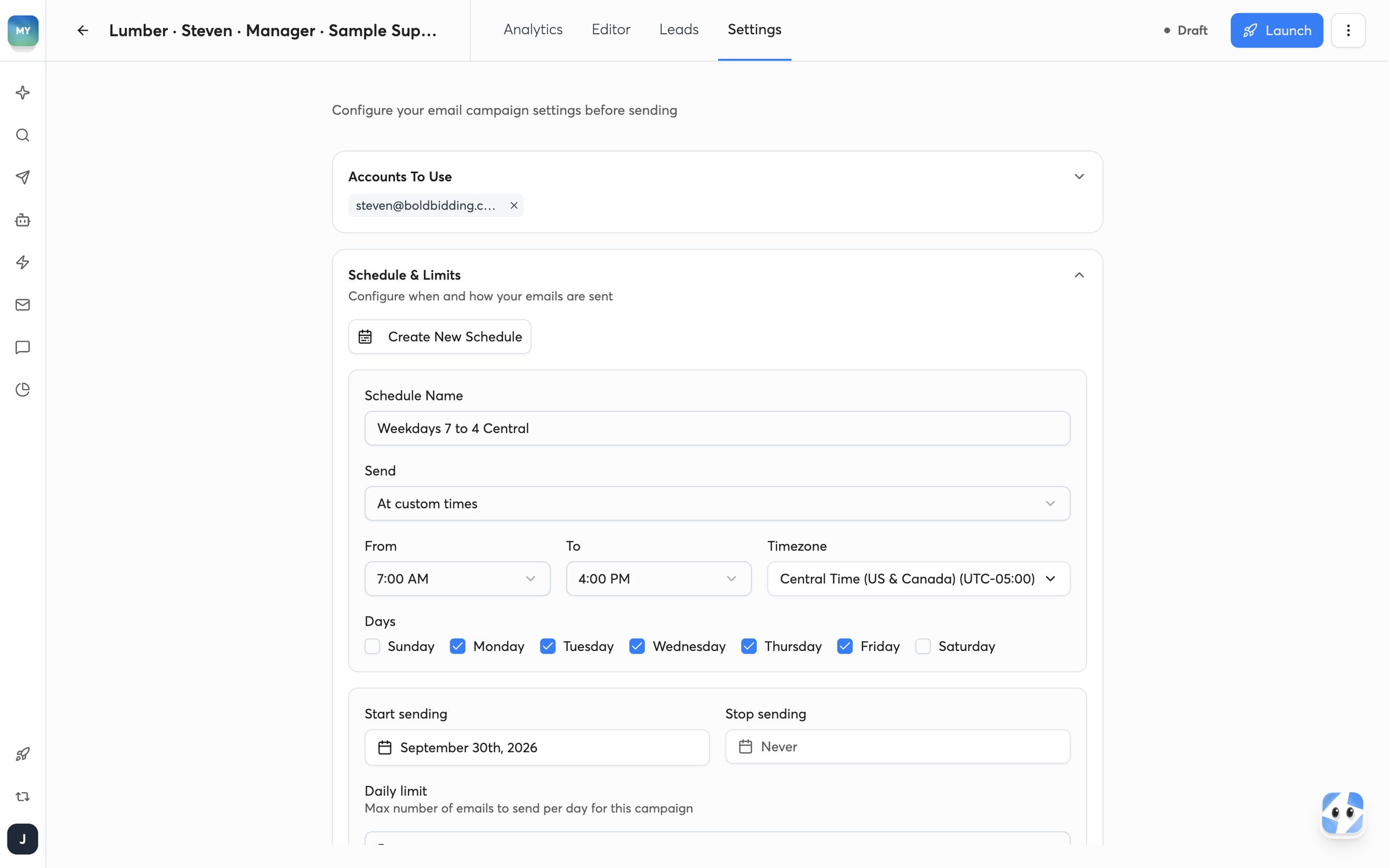
Open Schedule and Limits. Weekdays, seven to four, Central time. Daily limit caps the campaign's total emails per day, across all its mailboxes.
 Full size
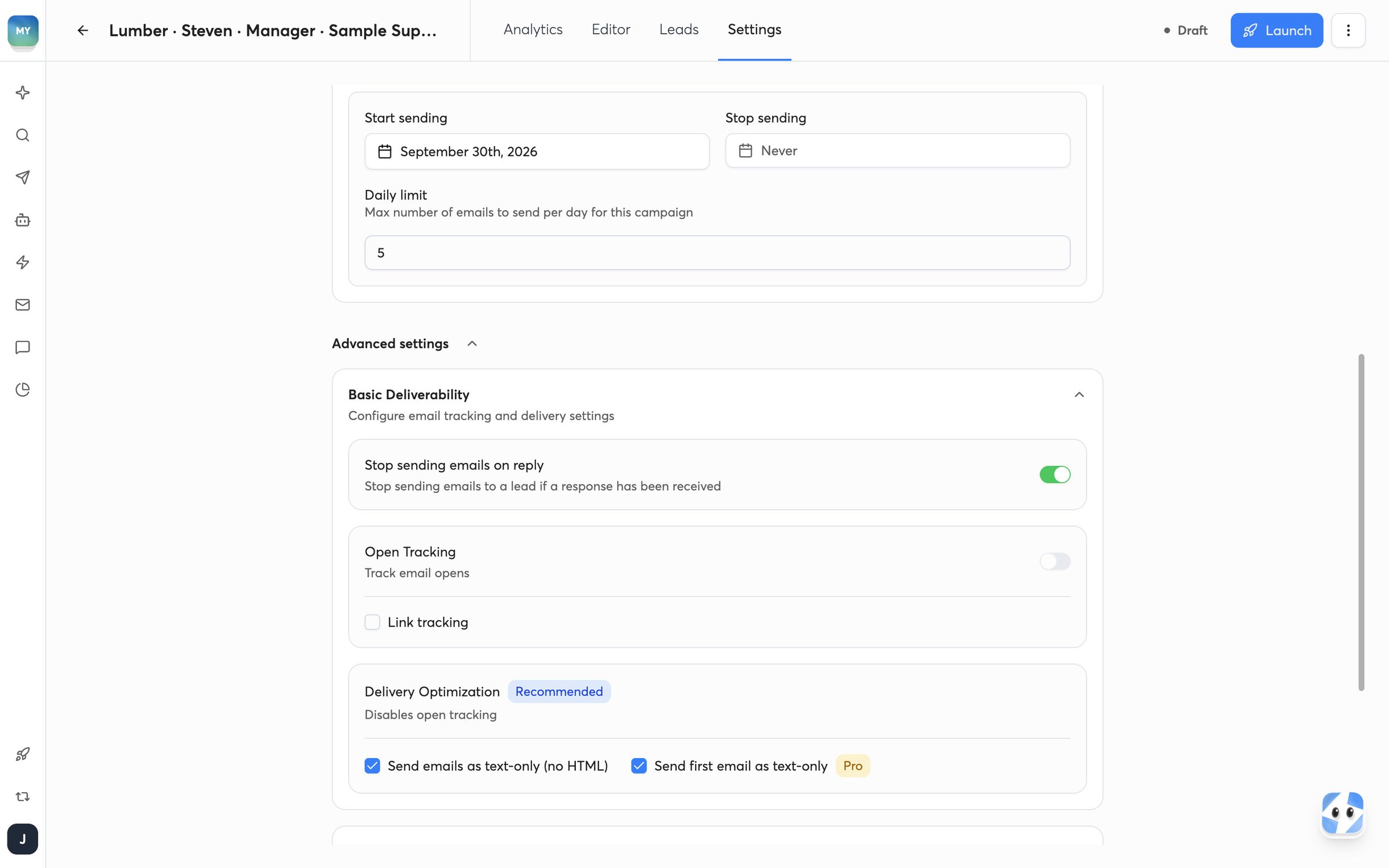
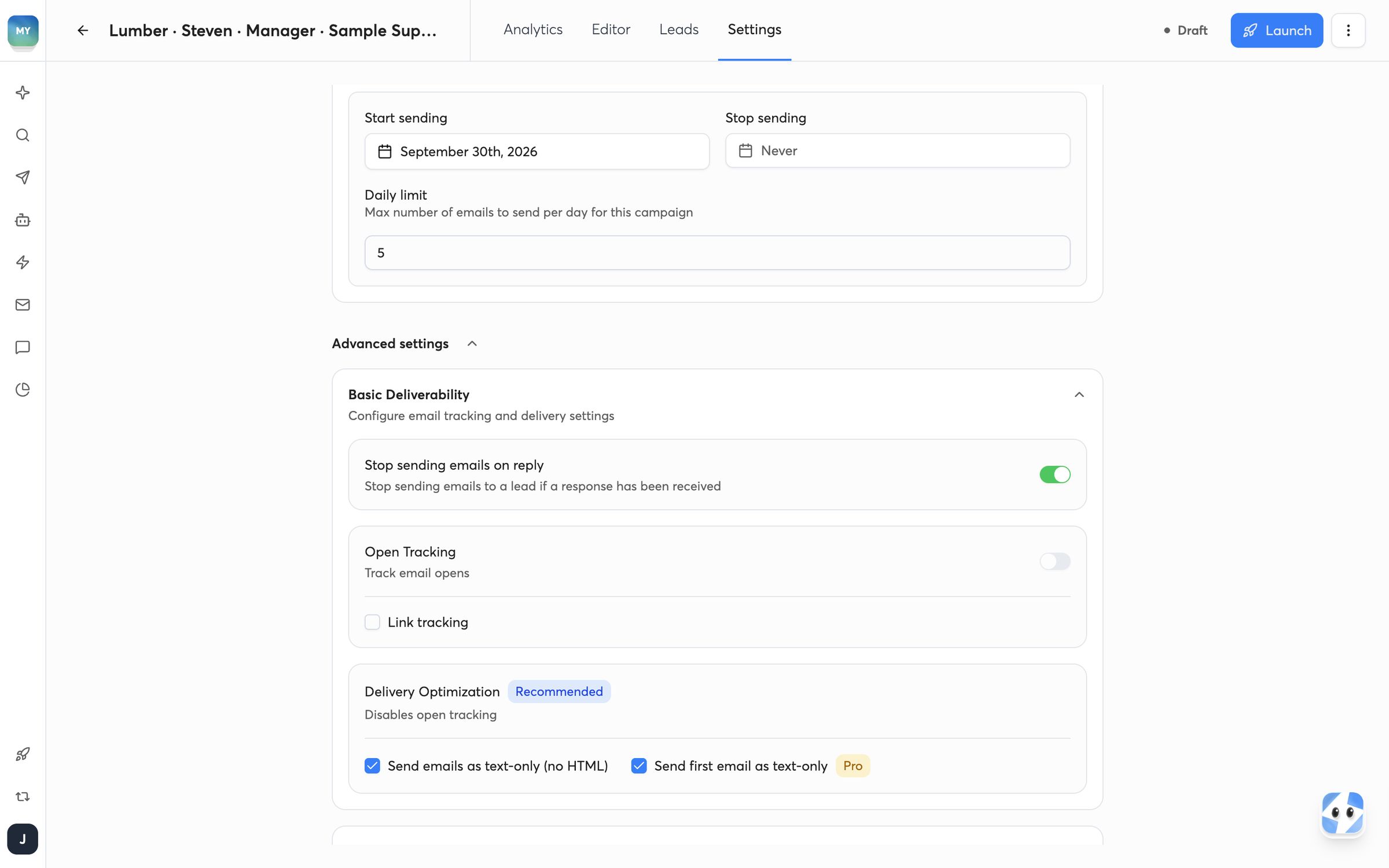
Further down, Stop sending emails on reply stays on, open tracking and link tracking stay off, and emails go out as text only.
 Full size
When all four checks pass, Launch starts sending to real people.
 Full size
Watch out. Launch sends real emails and cannot be taken back. Check bounces the next morning and again two days later. If they pass 2 percent, pause the campaign and check the list before sending more.
Not started